Logs System
The simulator has two complementary logging components. LogArea monitors all NPCs that pass through a defined trigger zone and writes their state to CSV files. LogAutonomous tracks the ego vehicle's own motion and collision events, and also records spawn selection data written by the Teleporter.
LogArea
What It Does
LogArea is a BoxCollider trigger that maintains live lists of vehicles and pedestrians currently inside it. Every few frames (or every few seconds), it writes a row per tracked NPC to separate CSV files for humans and cars.
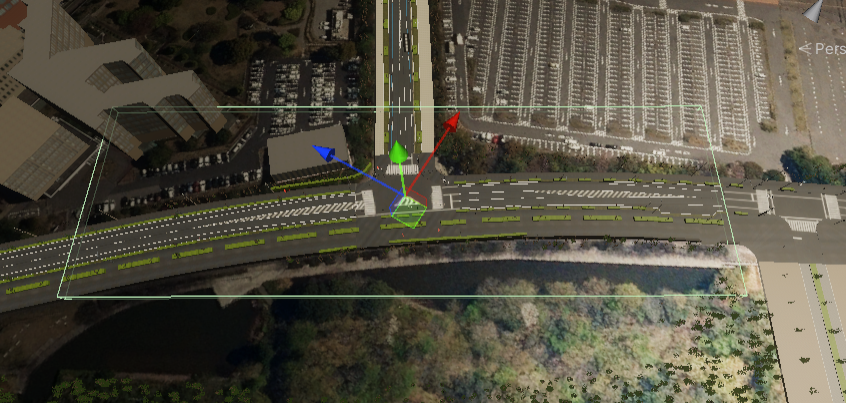
The green box in the scene view marks the LogArea trigger volume.
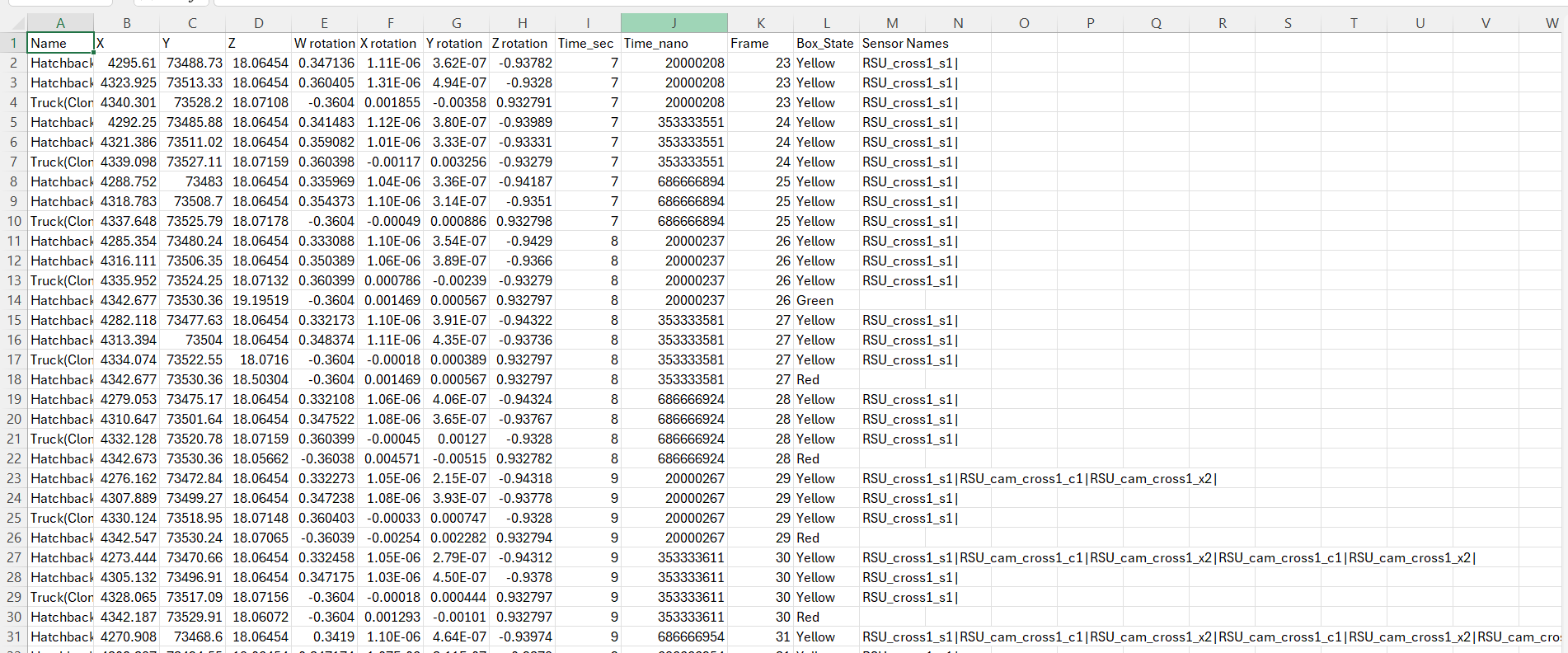
Sample CSV output from LogArea.
Logging Modes
LogArea supports two timing modes, controlled by the ultraMode toggle:
| Mode | Toggle | Field | Description |
|---|---|---|---|
| Frame-based | ultraMode = true (default) |
waitForFrame |
Log every N frames (default: 2). High-frequency output, best for smooth data. |
| Time-based | ultraMode = false |
waitTime |
Log every N seconds (default: 0.05 s). Useful when frame rate varies. |
Detection Logic
LogArea uses OnTriggerEnter / OnTriggerExit to add and remove objects from its tracking lists:
- Objects with an
NPCVehiclecomponent → tracked as cars - Objects with an
NPCPedestriancomponent → tracked as humans - Objects on the vehicle layer with a
Rigidbody(e.g., buses with compound colliders) → also tracked as cars
The component checks separately for humans (checkHumans) and cars (checkCars), both enabled by default.
Sensor Column
The Sensor column in the CSV contains a pipe-separated (|) list of sensor names that had direct line-of-sight to the NPC at the time of logging. This is populated by the LineOfSight / LineOfSightManager system.
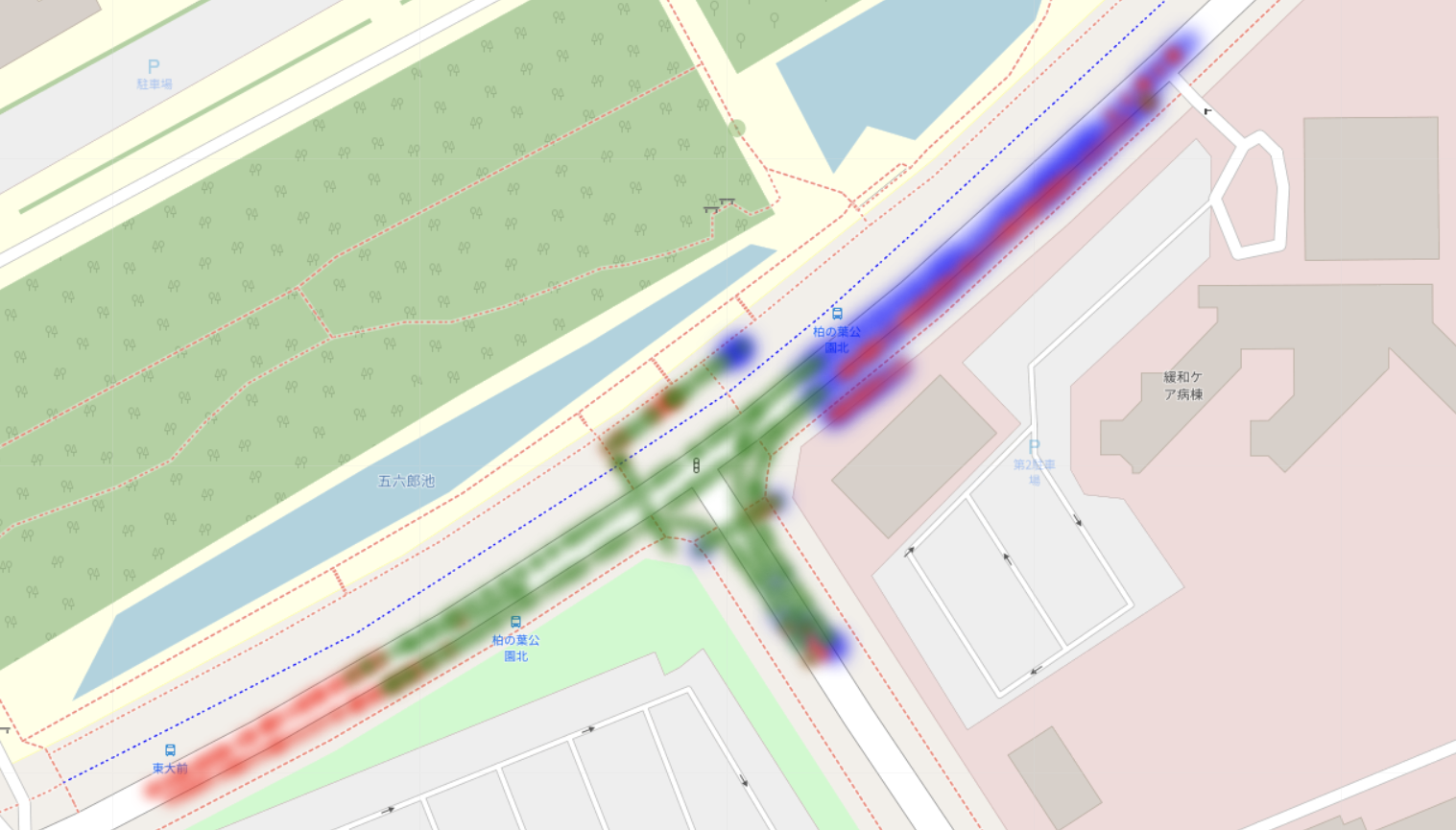
Color coding used in the companion heat-map tool:
- Green — NPC seen by the autonomous car
- Red — NPC not seen
- Blue — NPC detected by a roadside sensor
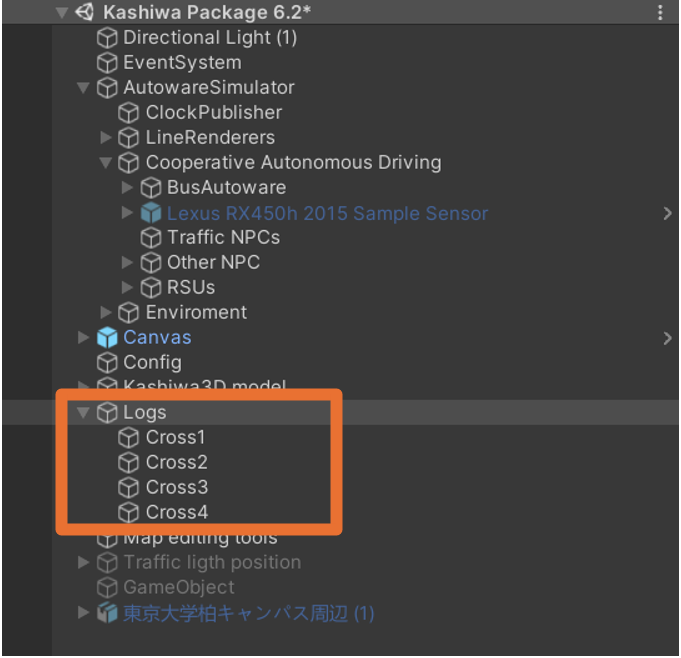
Typical placement of LogArea components in the scene.
Inspector Fields
| Field | Default | Description |
|---|---|---|
logPathHumans |
— | Output CSV path for human NPC data |
logPathCars |
— | Output CSV path for vehicle NPC data |
checkHumans |
true | Track pedestrian NPCs |
checkCars |
true | Track vehicle NPCs |
waitTime |
0.05 s | Log interval (time-based mode) |
waitForFrame |
2 | Log interval in frames (frame-based mode) |
ultraMode |
true | Use frame-based timing |
checkpointJumper |
— | Reference for checkpoint/run index in filenames |
vehicleLayer |
— | Layer mask for vehicle detection |
CSV Column Reference — Cars and Humans
| Column | Description |
|---|---|
timestamp_ros |
ROS time (seconds) |
timestamp_sys |
System wall-clock time |
frame |
Unity frame count |
id |
NPC identifier (vehicle name or ScenarioHumanId) |
pos_x, pos_y, pos_z |
World position |
rot_x, rot_y, rot_z |
World Euler rotation |
speed |
Scalar speed (m/s) |
vel_x, vel_y, vel_z |
Velocity vector |
box_state |
Checkpoint / scenario state from CheckpointJumper |
sensor_* |
Pipe-separated sensor names with line-of-sight |
LogAutonomous
What It Does
LogAutonomous is attached directly to the ego vehicle. It continuously logs the vehicle's position, velocity, and acceleration, and records collision events. It also receives spawn selection data from the Teleporter after each teleport.
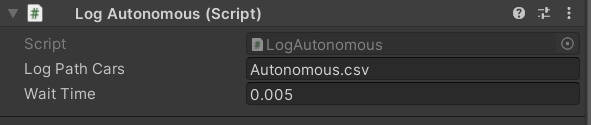
LogAutonomous component in the Inspector.
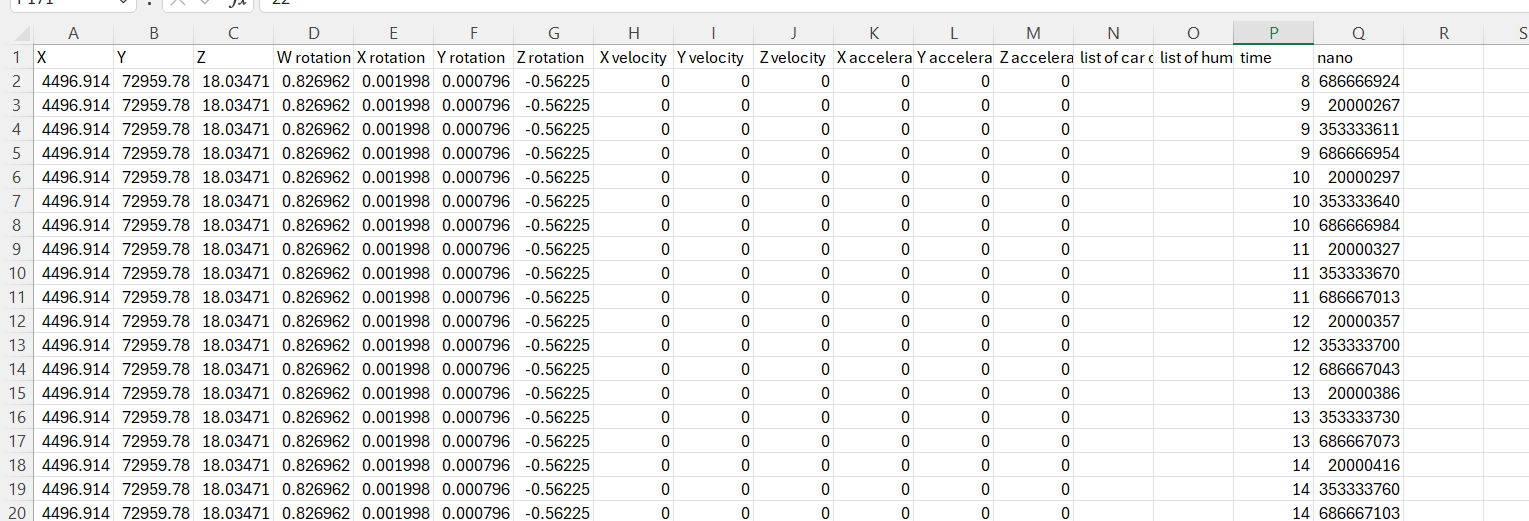
Sample CSV output from LogAutonomous.
Ego Vehicle State Log
Every frame, LogAutonomous writes one row with:
| Column | Description |
|---|---|
timestamp |
Simulation time (ROS seconds + nanoseconds) |
pos_x, pos_y, pos_z |
Ego position in world space |
rot_x, rot_y, rot_z |
Ego Euler rotation |
vel_x, vel_y, vel_z |
Velocity from Rigidbody |
accel_x, accel_y, accel_z |
Acceleration (velocity delta) |
collision_cars |
Semicolon-separated names of colliding vehicles |
collision_humans |
Semicolon-separated names of colliding pedestrians |
Collision lists are populated by Unity OnCollisionEnter / OnTriggerEnter callbacks and cleared each frame.
Spawn Selection Log
After each teleport, the Teleporter calls LogSpawnSelection() on this component, which appends a row to a separate spawn-selection CSV file.
| Column | Description |
|---|---|
timestamp |
Time of teleport |
midpoint_segment |
Name of the target midpoint lane |
spawn_lane |
Lane chosen for the spawn (or "RandomPoint") |
sample_index |
Index of the sampled point on the spawn lane |
distance_to_midpoint |
Dijkstra path distance to the midpoint (m) |
estimated_time |
Kinematic ETA to midpoint (s) |
target_time |
Randomly drawn target arrival time (s) |
reached_cruise |
Whether cruise speed was reached before the midpoint |
spawn_x, spawn_y, spawn_z |
World position of the teleport destination |
This log is the primary tool for verifying that the Teleporter is placing the vehicle at the intended arrival times.
Inspector Fields
| Field | Description |
|---|---|
outputFile |
Base path for the ego state CSV |
spawnLogFile |
Base path for the spawn selection CSV |
filePrefix |
Optional prefix for multi-run experiments |
logRate |
How often to write state rows (frames or seconds) |
File Paths and Multi-Run Support
Both LogArea and LogAutonomous support run-indexed filenames via CheckpointJumper. When CheckpointJumper advances to a new run index, the logging components create a new file with the run number appended, so each scenario run produces an independent CSV rather than appending to a single large file.
Tip
All output goes to the SimulationOutput/ directory by default. This directory is listed in .gitignore and is not committed to the repository.